A circuit simulator custom-made for DIY Pedal Builders
Draw your pedal. Press Run. Hear a real guitar play through it and into a real amp. You’ll know if the idea is any good before you buy a single part.
You get 7 days of the full PedalSpice free, with no credit card. If you don’t upgrade, you keep the free plan forever.
You don’t install anything, you don’t hunt for model files, and you don’t learn software built for engineers. If you draw something wrong, PedalSpice tells you what it is and how to fix it.
Draw it, run it, and hear it.
Maybe you ordered the parts, wired up the breadboard, plugged in, and heard nothing. Maybe you opened a simulator and spent the whole evening hunting for model files instead of working on your pedal. Either way, the question you started with, what does this part actually do, got buried. PedalSpice gets you to the answer in three steps.
Draw it
Drag parts from the toolbar on the left and wire them up. Every part is one you'd use in a pedal, so there's no giant parts list to dig through. Or skip that and drop in a gain stage or tone stack that’s already built. Dual-gang pots, the CD4049UBE, OTAs, wah inductors, optocouplers, and germanium transistors are all in the toolbar. The pots come in audio, linear, reverse audio, W taper, and trim, so what you draw is what you'll build.
Run it
Most circuit simulators make you jump through a lot of hoops just to see what your circuit is doing. PedalSpice was designed to be easy to use. Simply click the big button that says Run. The frequency curve and the waveform pop up instantly. If something’s wrong, it tells you what and how to fix it, and it lights up the part. Also, checking your voltages and impedances couldn't be easier. They're one click away.
Hear it
Pick one of the recorded guitar clips, with both lead and rhythm parts, or upload a clip of you playing your own guitar. It plays through the circuit you drew and then into an amp made with NAM (Neural Amp Modeler), one of the most accurate ways to copy the sound of a real amp and cabinet. Use the amps that come with it, or load your own NAM amp file. You can get thousands of them free at TONE3000.com. Turn a knob, play it again, and instantly compare the sound your change made.
Drop it in
Why draw a gain stage you've drawn a thousand times before? Click “Circuit Blocks”, put the block where you want it in your circuit, and it wires itself in. Or open one of the many built-in “circuit calculators” to quickly and easily change the values on many common circuit blocks, then put that changed block into your drawing automatically. (Full version)
Here’s what you get, and what you get to skip.
-
You can tune a circuit by ear and put it right in your drawing. Full version
This saves you more time than anything else in the app. There are multiple circuit calculators built in for tone stacks, gain stages, EQ circuits, and more. Move the sliders and the curve changes as you go, so you don't have to do math by hand or redraw the circuit every time you want to try a new value. When it sounds right, press Send to PedalSpice and click where you want it in your schematic. It shows up in your drawing with the values already filled in.
-
Find your mistakes before they cost you parts.
PedalSpice checks your drawing before it runs. When something’s wrong, it tells you in plain English, tells you how to fix it, and lights up the part. It catches things like:
► An op amp or OTA chip that isn’t biased correctly
► A short, where two points are wired together that shouldn’t be
► A part getting more voltage than it can take
► A circuit that isn’t connected to ground or power properlyYou won’t have to look up an error message written for engineers, or ask on some random forum, hoping “user28490” doesn’t give you another snarky comment.
-
Add a whole gain stage in one click. Full version
Seven gain stages and six tone stacks come built in. Click where you want one, on an empty spot, a wire, or a connection dot. The rest of your circuit moves over to make room.
-
Never draw your favorite circuit twice. Full version
Save any circuit to My Blocks. It sits at the top of your Circuit Blocks menu. The tone stack you spent an evening on goes into every pedal after that with one click.
-
Dial in gain, EQ, and tone controls without doing the math. Full version
A variety of circuit calculators cover tone stacks, gain stages, EQ circuits, and more. Move the sliders and watch the curve. When it sounds right, one click puts it wherever you want in your drawing with the values filled in.
-
Hear it through your guitar and your amp.
Upload your own playing, or use the built-in lead and rhythm clips. Load a NAM file of your own amp, or pick from thousands of free ones at TONE3000.com. You hear your pedal in your own rig before it exists.
-
Compare mods and changes easily
Click Snapshot to freeze the frequency curve you have. Change a part and run it again. Both curves sit on the same graph, so you see which one is better instead of trying to remember.
-
Test up to twelve values at once.
Type in 47k, 100k, and 220k, or up to twelve values. Every curve shows up on one graph. Turn on Voltages and a table of numbers shows under it. One run does the work of twelve part swaps.
-
Know what your meter should read before you solder.
One click puts the DC voltage at every point on your drawing. One more shows the input and output impedance. You walk into the build with the numbers already in hand.
-
Bias a JFET easily
Want it at 4.5 volts? Type 4.5 when you double click the part. PedalSpice turns the trim pot to the right spot for you automatically.
-
Use the parts most simulators don’t have.
Dual-gang pots, the CD4049UBE, OTAs, wah inductors, optocouplers, and germanium transistors are built in. There’s no model file to hunt for. The pots come in audio, linear, reverse audio, W taper, and trim, so what you draw is what you build.
-
Test it with the pickup you play.
Feed your circuit a clean test tone, a humbucker, or a single-coil pickup. You see what your pedal does with the guitar you’ll actually plug in.
-
Let a friend turn the knobs on your circuit.
Send a link. Whoever opens it can turn the knobs and press Run. That gets you real help, and a screenshot in a Facebook group usually doesn’t.
-
Easily order your parts. Full version
You get a parts list with a buy link for every part, plus a schematic PDF to print. No need to type part numbers into a cart. This makes sure that you don't accidentally miss one.
-
Export to PCB using KiCad. Full version
Press Export for KiCad. Every part and connection goes into KiCad’s board editor with its footprint already picked. You place the parts and draw the traces, and the board matches the circuit you already heard through a real amp.
-
Open and export LTspice files. Full version
Already have circuits in LTspice? Open them in PedalSpice and hear them. Or send any PedalSpice circuit to LTspice, with every part's model inside, ready to run.
-
You can save your favorite circuits for your next build. Full version
When a circuit sounds just the way you like it, save it to My Blocks. It shows up at the top of your Circuit Blocks menu, so the tone stack you spent a whole evening on is one click away on every pedal after that.
-
It tells you what's wrong in plain English and shows you where.
If a leg isn't hooked up, there's no ground, or an op amp has no bias, it tells you in plain words and lights up the part. You won't have to search the whole drawing, and you won't have to figure out an error message written for engineers.
-
You can hear your own playing through your own amp.
Upload a clip of your own playing, or use one of the lead and rhythm clips that come with it. Hear it through one of the NAM amps that come with it, or load your own NAM amp file and hear your circuit through your own amp. You can get thousands of free amp files at TONE3000.com.
-
Your friends can turn the knobs on your circuit.
Send your circuit as a link. Whoever opens it can turn the knobs and press Run. That's much better than posting a screenshot in a Facebook group and hoping someone can read it.
Try the full PedalSpice free for 7 days. Keep PedalSpice Free for as long as you want.
Everything in PedalSpice is yours for one payment of $199.00, or 6 payments of $35.00. Nothing renews. And you can try every bit of it free for 7 days.
Draw a circuit, press Run, and hear a real guitar play through it, free for as long as you want.
- The full drawing screen and simulator, with the one big Run button
- Plain English warnings that light up the part that's causing the problem
- The frequency curve, the waveform in real volts, and the voltage at every point
- Hear a real guitar through a NAM amp ten times a month
- All four starter circuits, including a bare bones Tube Screamer style drive
- Up to three knobs on a circuit
- Up to 20 parts on a circuit
- Five saved circuits
Picking PedalSpice Free still gives you 7 days of the full PedalSpice first. You aren't charged.
Start freeor 6 monthly payments of $35.00 ($210.00 total)
Every limit goes away, and you get the tools that save you the most time.
- All sixteen circuit calculators.
- All thirteen circuit blocks.
- My Blocks, so your favorite circuits are ready for every build after this one
- Hear your guitar through your circuit as many times as you want
- Unlimited knobs, and unlimited saved circuits for normal use
- A clear schematic PDF to print, and a parts list with a buy link for every part
- Export for KiCad (beta), so every part and connection goes into KiCad, ready for you to lay out the board
- Open your LTspice circuits, and export any circuit to LTspice
- The circuit file itself, to keep or share
Pay once, no renewals. Fixes, speed-ups and new parts are free for as long as PedalSpice runs. Big new features may be sold separately later.
For pedal companies, shops, and schools with more than one builder. Tell us how many people need it, and we'll work with you.
Ask about PedalSpice for TeamsHere’s what people ask before they start.
What is PedalSpice?
PedalSpice is a guitar pedal circuit simulator that works in your web browser. You draw your circuit, press Run, and see the frequency curve and the voltages. Then you play a real guitar through it, so you hear your idea before you spend a dime on parts.
How does PedalSpice compare to LTspice?
LTspice is a free program from Analog Devices, and engineers use it every day. Now look at what it takes to hear one pedal idea in it. For most pedals, you find and install model files for your parts. You fake each pot with two resistors. You learn the commands that set up the test. You find or record a clean guitar track yourself, because none comes with it. You type the file’s location into your drawing and scale the level by hand. You run it. Then you open the result in a separate player, and you hear your pedal with no amp and no speaker cabinet, straight into your speakers. That’s not how it’ll sound in your rig.
Here’s the same job in PedalSpice. Draw your pedal. Press Run. Pick a built-in lead or rhythm clip, or upload your own playing, and hear it through an amp made with NAM (Neural Amp Modeler), right in the app. Turn a knob, play it again, and hear what changed. It runs the same kind of SPICE math, the pedal parts are already in it, and it works in a web browser on almost any computer, where LTspice needs Windows or a Mac.
How does PedalSpice compare to CircuitLab?
CircuitLab is a good browser simulator for learning electronics and for engineering work, and it was built for every kind of circuit. PedalSpice was built for one thing, which is letting you hear your pedal before you build it. The parts pedal builders use are already in it, like pots in audio, linear, reverse audio, W taper, and trim, dual-gang pots, OTAs, the CD4049UBE, and germanium transistors. You draw your pedal, press Run, and play a real guitar recording through it and into an amp made with NAM (Neural Amp Modeler). Turn a knob, play it again, and hear what changed. A graph can show you where the mids dip, but only your ears can tell you if you like it. With the full PedalSpice, circuit blocks and circuit calculators let you build a pedal in a few clicks instead of drawing every part. You can find out for yourself. Start the 7-day free trial with no credit card, draw your next pedal idea, and hear it tonight.
Can I hear what my pedal sounds like before I build it?
Yes. Play a recorded guitar clip or your own playing. It goes through your circuit and into an amp made with NAM (Neural Amp Modeler), one of the most accurate ways to copy the sound of a real amp. Turn a knob, play it again, and you hear the same change you saw on the screen, all before you order a single part.
Is the simulation accurate, or just a rough idea?
It’s accurate. PedalSpice runs a real SPICE simulation, the same kind of circuit math engineers use, and the part models come from the makers’ own published data. The curves and voltages come from working out the circuit you drew. You’ll still want to breadboard it to know for sure, but you’ll know first whether the idea is worth building.
Is PedalSpice free?
Yes. There’s PedalSpice Free you can keep as long as you want. Every new account also gets 7 days of the full PedalSpice free first, and you don’t need a credit card.
Draw it, Hear it, Perfect it - Before you build it
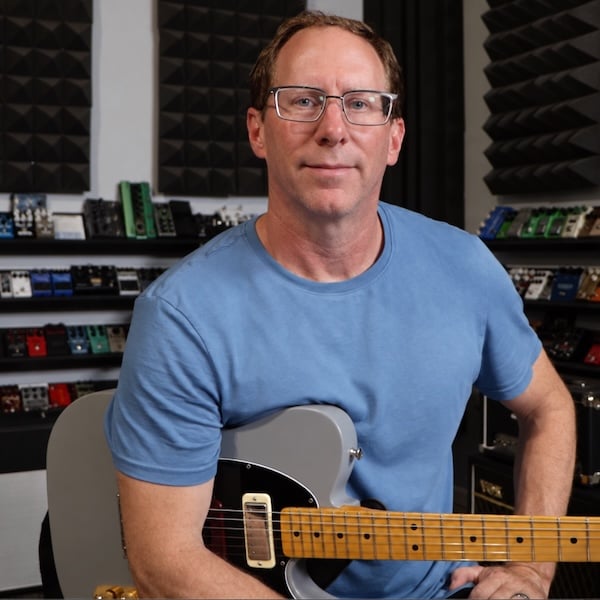
PedalSpice was built by Brian Wampler, who founded Wampler Pedals and has designed guitar pedals for over twenty years. For most of that time there were two ways to test an idea: build it blind on a breadboard, or fight a simulator made for engineers. He got tired of both, so he built this. You get 7 days of the full PedalSpice, with no credit card. Draw a pedal tonight and play a guitar through it. If PedalSpice isn’t for you, do nothing. You won’t be charged, you keep the free plan, and nothing you made gets deleted. You’ll still want to breadboard it to know for sure, but you’ll know it’s worth the parts before you buy them.
Every new account gets 7 days of the full PedalSpice free, with no card.